Sun, 2006-03-26 16:25 Federated Query Planning
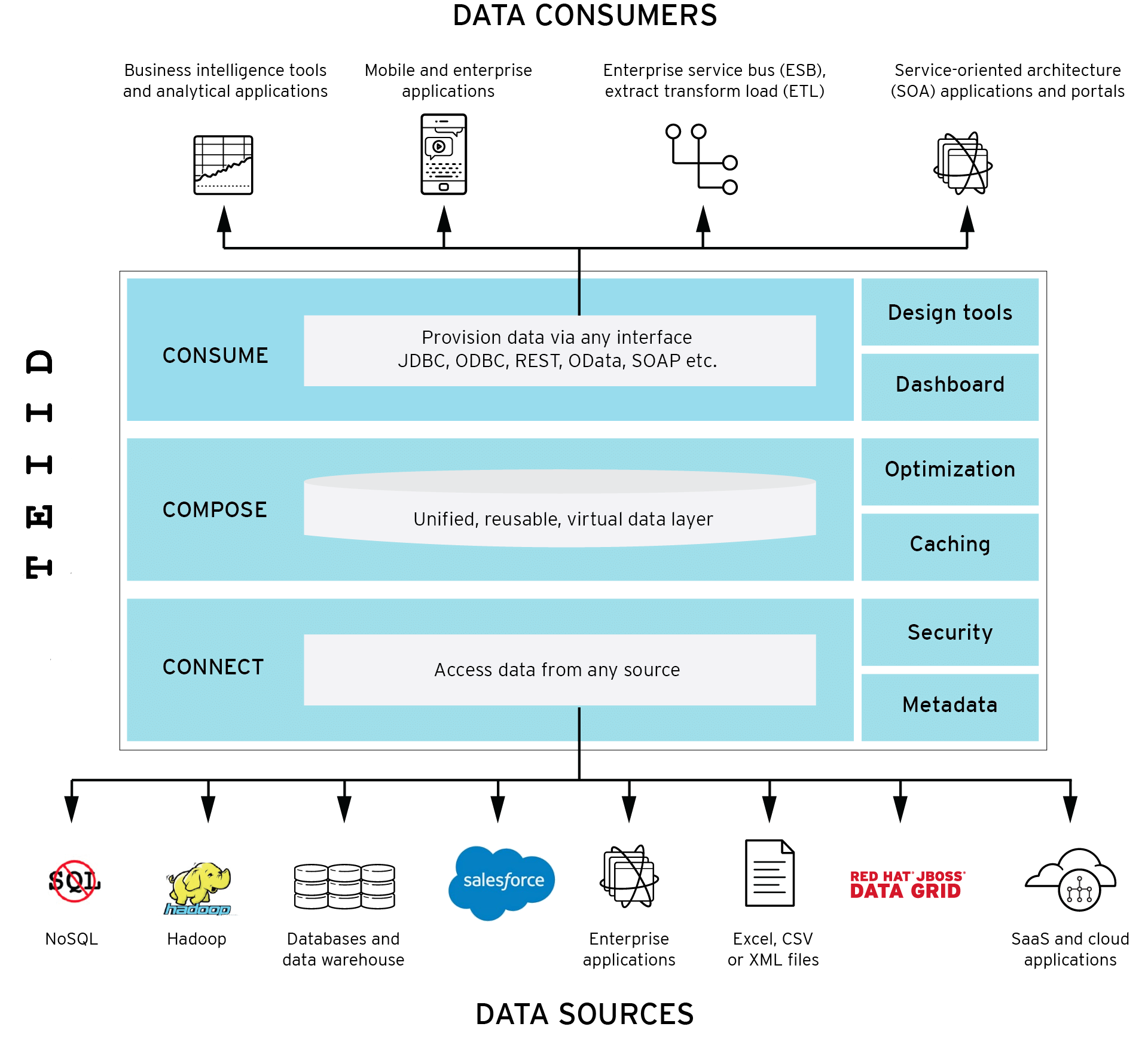
MetaMatrix products contain a federated query engine that executes SQL against multiple data sources. This entry will explore the differences between a federated query planner and a typical relational database query planner.
Why Use a Federated Query Engine?
Many IT projects need to work with multiple data sources. One solution is to pre-process and stage the data into a single location using ETL, data warehouses, or data marts. Sometimes the effort involved in co-locating the data is justified but in many cases, you really just want to leave the data where it is and access those sources from a single application.
Another common solution is to write custom data integration code directly into the application. However, this approach often leads to applications that are brittle as any change to the form or location of the data requires changes to the code. Also, there is a significant cost in initial development and maintenance of custom data integration code.
A better solution is to use a federated query engine. MetaMatrix embeds such an engine in all of our products. This federated query engine allows you to treat all of your data sources as one virtual database and access them in a single SQL query. This allows you to focus on building your application, not on hand-coding joins between data sources.
Federated Query Planning
The federated query engine receives an incoming SQL query as text and performs the following operations on it:
- Parsing - validate syntax and convert to internal form
- Resolving- link all identifiers to metadata and functions to the function library
- Validating - validate SQL semantics based on metadata references and type signatures
- Rewriting - rewrite SQL to simplify expressions and criteria
The query engine then sends the query to the planner in object form. The planner converts the query into the initial query plan based on standard SQL execution order.
The query plan is a tree of logical operations used to transform data in source tables to the expected result set. In the tree, data flows from the bottom (tables) to the top (output). The primary logical operations are select (select or filter rows based on a criteria), project (project or compute column values), join, source (retrieve data from a table), sort (ORDER BY), duplicate removal (SELECT DISTINCT), group (GROUP BY), and union (UNION).
For example, consider the following query that retrieves all engineering employees born since 1970.
Logically, the data from the Employees and Departments tables are retrieved, then joined, then filtered as specified, and finally the output columns are projected. The canonical query plan thus looks like this:
Data flows from the tables at the bottom upwards through the join, through the select, and finally through the project to produce the final results. The data passed between each node is logically a result set with columns and rows.
Of course, this is what happens logically, not how the plan is actually executed. Starting from this initial plan, the query planner performs transformations on the query plan tree to produce an equivalent plan that retrieves the same results faster. Both a federated query planner and a relational database query planner deal with the same concepts and many of the same plan transformations. In this example, the criteria on the Departments and Employees tables will be pushed down the tree to filter the results as early as possible.
In both cases, the goal is to retrieve the query results in the fastest possible time. However, the relational database planner does this primarily by optimizing the access paths in pulling data from storage.
In contrast, a federated query planner is less concerned about storage access because it is typically pushing that burden to the data source. The most important consideration for a federated query planner is minimizing data transfer.
Federated Planning Techniques
Below are some of the basic techniques used by a federated query planner to optimize performance.
- Push CPU-intensive operations down - any processing that is CPU-intensive and works on the data will be more efficiently performed by the source itself. Most operations involve significant CPU but join and sort are often the source of the majority of CPU time.
- Push filtering operations down - in general, any operation that reduces data flow should be pushed down to the data source whenever possible. The primary operations that reduce data flow are selection which filters rows, grouping which produces a single row to represent a group of related rows, and duplicate removal. Moving these operations to the source drastically reduces the amount of data retrieved.
- Parallelism - when talking to many data sources, there are usually opportunities to execute queries in parallel with obvious benefits.
- Dependent join - in many cases, a multi-source query can be optimally executed by first querying one data source, then using the results of that query to drive a second query (and so on). This technique can reduce both data flow and join time.
- Collapse nested views - MetaMatrix allows the creation of an arbitrary number of nested views. A naive processing approach would be to execute each query from bottom to top, materializing views along the way. This approach would typically result in poor performance. The MetaMatrix federated query planner will aggressively collapse these views, often creating a single equivalent query during planning. This allows unnecessary joins and unnecessary union branches to be pruned and join plans to be created across a comprehensive set of sources.
Federated Planner Resources
The MetaMatrix federated query planner uses information from several sources during planning. For example:
- Connector capabilities - information provided by a connector about the capabilities of a data source.
- Metadata - full metadata imported from the source describing catalogs, schemas, tables, columns and the attributes of each. In particular, table and column metadata are used extensively during planning.
- Data statistics - statistical properties of the data such as the number of rows in a table, min/max values of a column, etc. Statistics are used to choose between alternate plans based on predicted costs.
MetaMatrix Products
MetaMatrix provides products to fit any application need:
- MetaMatrix Enterprise - scale up with our distributed middleware server. Enterprise supports read-write views, XA transactions, authentication, entitlements, custom connector development, management Console, ODBC access, SOAP access, metadata repository, and a host of other features to meet every enterprise need.